
Fewer manual touchpoints
Automated guidance and follow-up reduce repetitive work for operations teams.


AI agents for guest identity and compliance operations
DocinVault automates the work between booking and check-in, from collecting guest data and resolving missing information to preparing reporting-ready records, updating operational systems, and preserving audit evidence.
See what the agents handleOperational outcomes
DocinVault coordinates the routine work between the booking, guest, and connected systems. Your team sees what is ready, what is waiting, and what genuinely needs review.
Automated guidance and follow-up reduce repetitive work for operations teams.
Booking-linked statuses make pending, completed, and review cases easy to find.
Configured outputs can update reporting, PMS, messaging, and access workflows.
Consent, timestamps, results, and review history stay connected to the session.
Agentic guest operations
DocinVault requests missing information, guides retries, prepares required records, updates your systems, and sends only the exceptions to your team.
Manual handoffs removed
Booking + property rules
Track whether automation is reducing real operating work, not only whether a check completed.
Guest workflow
The guest sees a clear mobile flow while DocinVault applies the document, presence, supporting-evidence, and review paths selected for that workflow.
A secure browser session guides the guest through the approved capture method without an app download.
Ready for check-in or review
For your team
See what is ready, pending, overdue, or under review without searching across messages and folders.
For your guests
Complete the required step in a guided mobile flow without downloading an app.
Capabilities
Configure the identity, risk, and review steps required for each property, guest type, and jurisdiction. DocinVault keeps the wider operational workflow consistent.
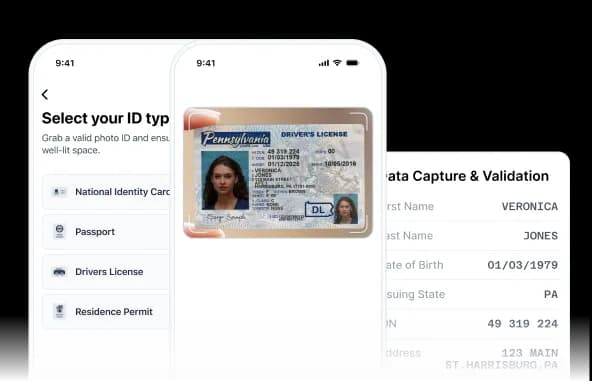
Verify users with government-issued IDs, biometric checks, and configured authoritative data sources.
Explore capability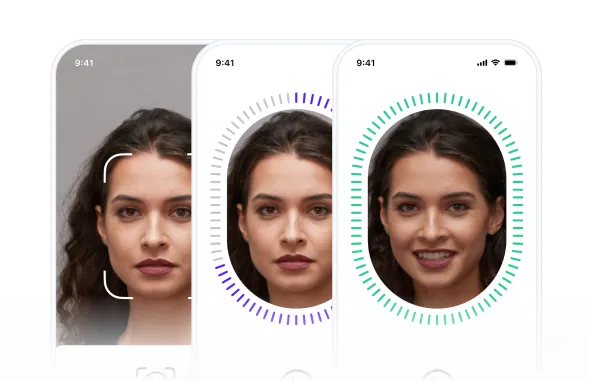
Use active, passive, or adaptive liveness methods to confirm that a real person is present.
Explore capability
Compare a live capture with a trusted document, NFC, or previously verified portrait.
Explore capability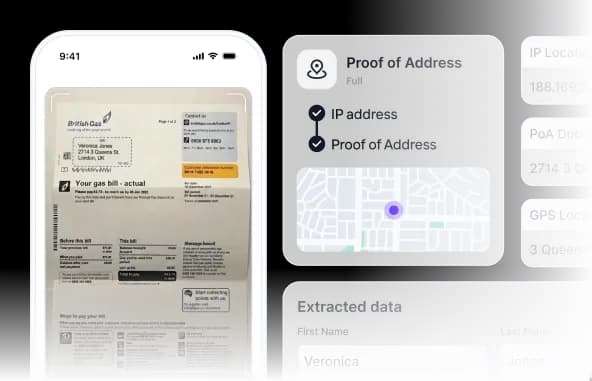
Capture and validate configured proof-of-address documents and location signals.
Explore capability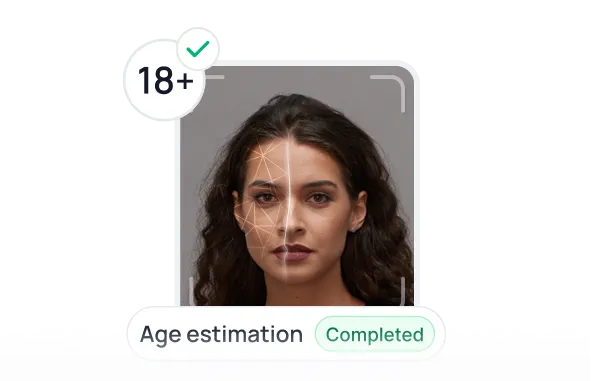
Confirm age through identity-document and biometric verification workflows.
Explore capability
Read supported identity-document chips and validate signed data as a step-up check.
Explore capability
Collect validated contact data and confirm access through configurable OTP steps.
Explore capability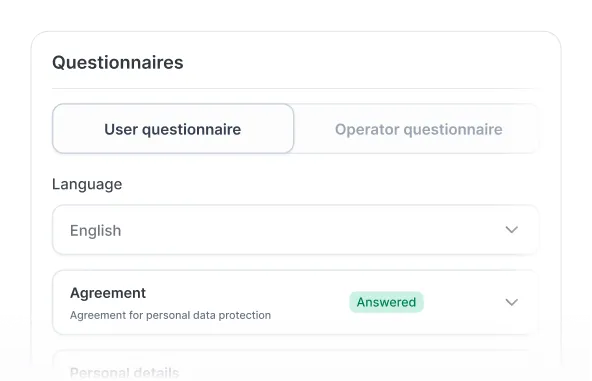
Collect structured customer due-diligence answers with configurable questionnaires.
Explore capability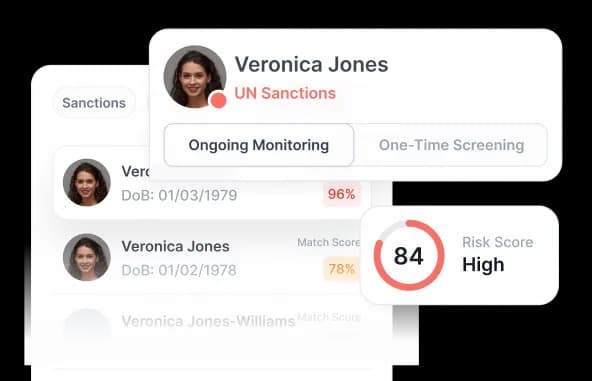
Screen users against configured watchlists and risk sources as part of the verification flow.
Explore capability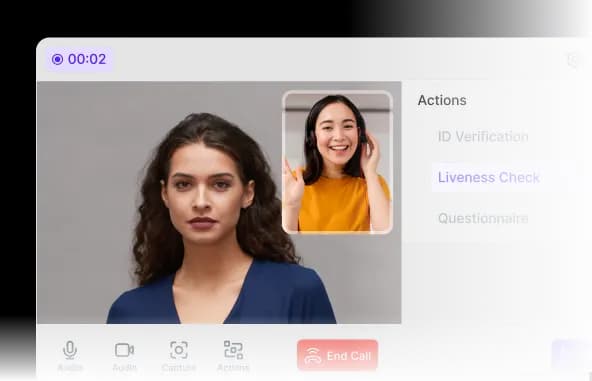
Conduct remote video verification with guided workflows and configurable review paths.
Explore capability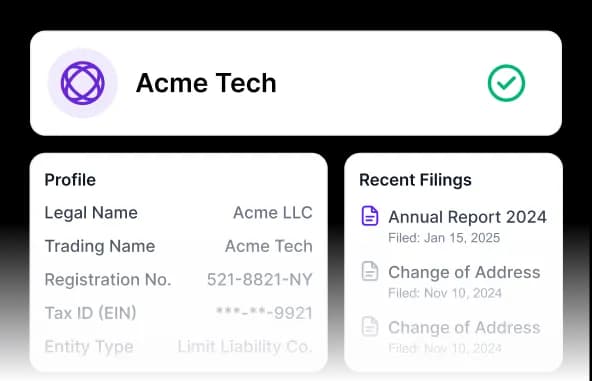
Collect and verify business information, representatives, and ownership data.
Explore capability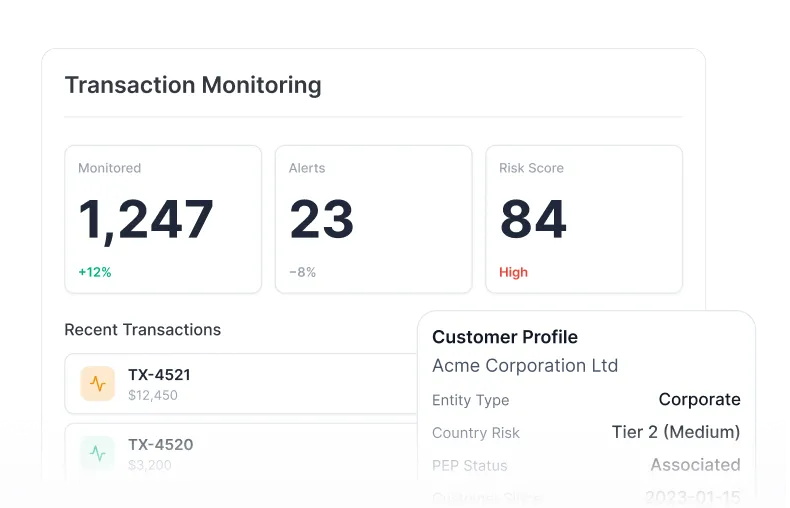
Monitor configured transaction signals and route cases into the appropriate review workflow.
Explore capabilityWorkflow configuration
Choose what each guest must provide, when the workflow starts, which cases require review, what data your team receives, and which action happens next.
See verification progress, exceptions, users, and reporting activity from one operating view. Give each team member the right access while keeping booking-linked results easy to follow.

System orchestration
Return status and approved fields, update reservations, prepare reporting-ready output, and trigger the next authorized action through hosted tools, APIs, and webhooks.
DocinVault works around your PMS rather than replacing it.
Integration status
Use a hospitality connector where it fits, or deploy the same compliance-session contract through hosted links, REST APIs, webhooks, and automated PMS triggers.
Current connector form and implementation status.
Product objects
Each booking creates a versioned Compliance Session. Its approved evidence and audit history can be compiled into an Evidence Package for downstream operations and authorized review.
Coordinates the configured work for one guest or booking.
Packages the approved record without distributing raw documents to operations by default.
Use the same workflow objects to see whether automation is removing real work.
Use cases
Arrival readiness
Before access release
Before peak arrival
Portfolio operations
Across the portfolio
Inside the booking flow
Reporting and evidence
Reporting-ready output
Booking-linked records
Security and privacy
DocinVault applies practical controls to the guest compliance session, the information returned to operators, and the infrastructure used to run the service.
Mobile browser sessions are protected in transit, and stored protected data is encrypted at rest.
Operators receive verification results and configured structured fields instead of unrestricted document copies by default.
Consent, timestamps, access, and review actions can be tied to the relevant reservation.
Customers define retention and access rules around the workflow and applicable obligations.
DocinVault runs on AWS infrastructure while retaining responsibility for application, data, and access controls.
AWS Activate and Google for Startups provide access to cloud resources, technical guidance, and specialist networks.
Liveness and presence
Use active or passive liveness when the workflow requires it, with clear guidance for genuine guests and review paths for uncertain results.


Pricing
One compliance session can include guest collection, follow-up, configured checks, system updates, reporting-ready output, and audit history.
Individual properties and smaller teams
Launch a hosted guest workflow without an API project.
Growing multi-property operations
Coordinate teams, structured output, reporting preparation, and retention controls.
Larger portfolios and booking platforms
Connect reservation events, agent actions, APIs, webhooks, and downstream systems.
Resources
Learn how to reduce document chasing, prepare guest records, protect sensitive data, and design smoother check-in workflows.

See how property managers, aparthotels, and booking platforms can use DocinVault to reduce manual ID collection, protect guest data, and improve pre-arrival operations.
Read the hospitality guide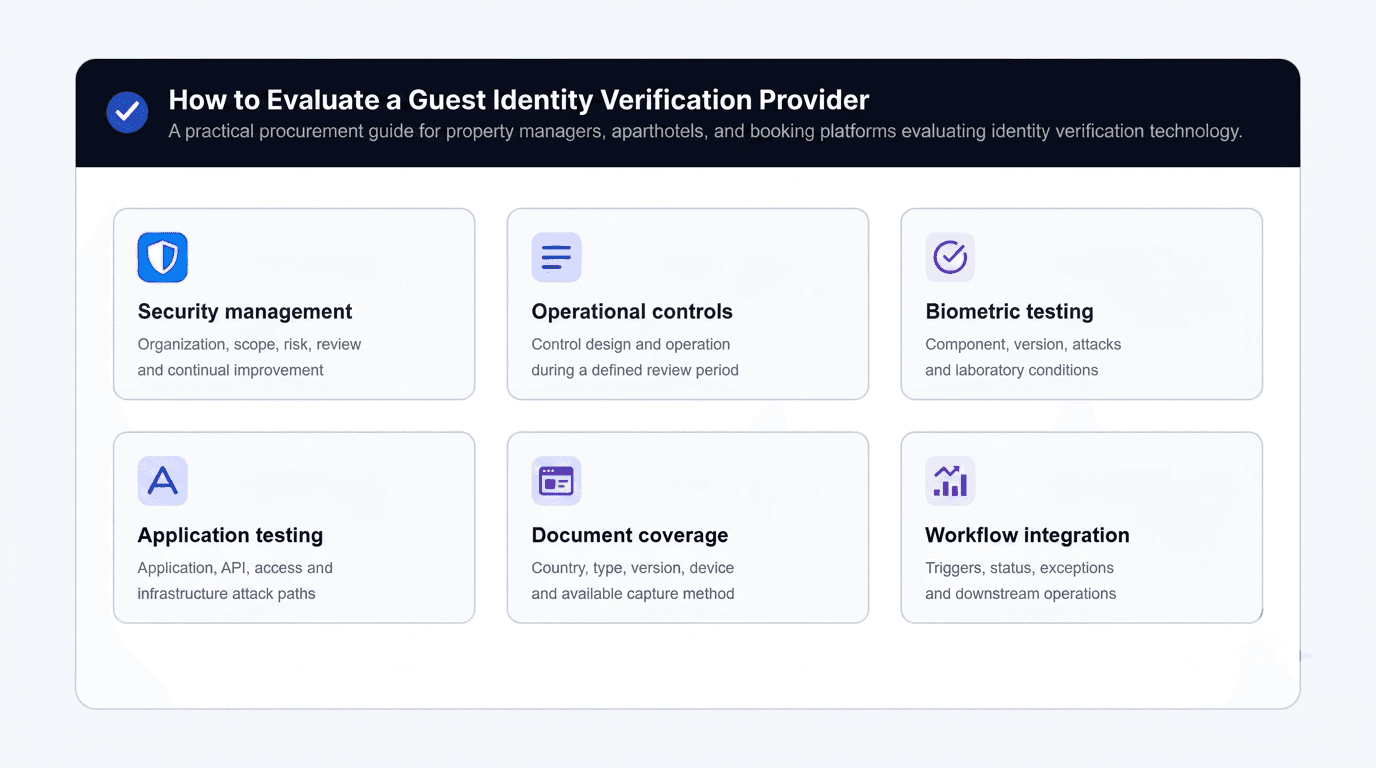
A badge or headline tells only part of the story. Learn what hospitality teams should assess across security, document coverage, privacy, workflow integration, human review, and customer responsibility.
Evaluate identity verification providers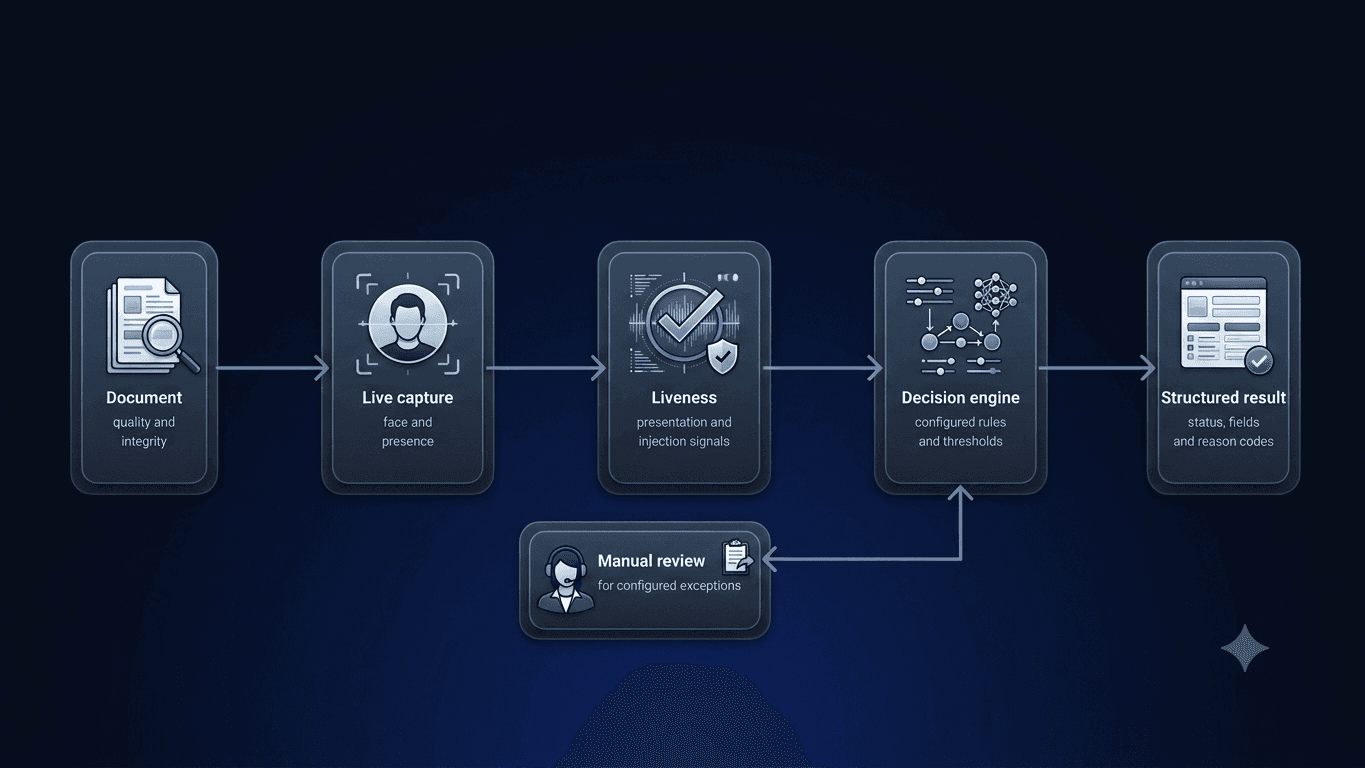
Learn how document checks, facial similarity, liveness detection, presentation-attack testing, injection testing, manual review, and application security work together.
Understand layered verification controls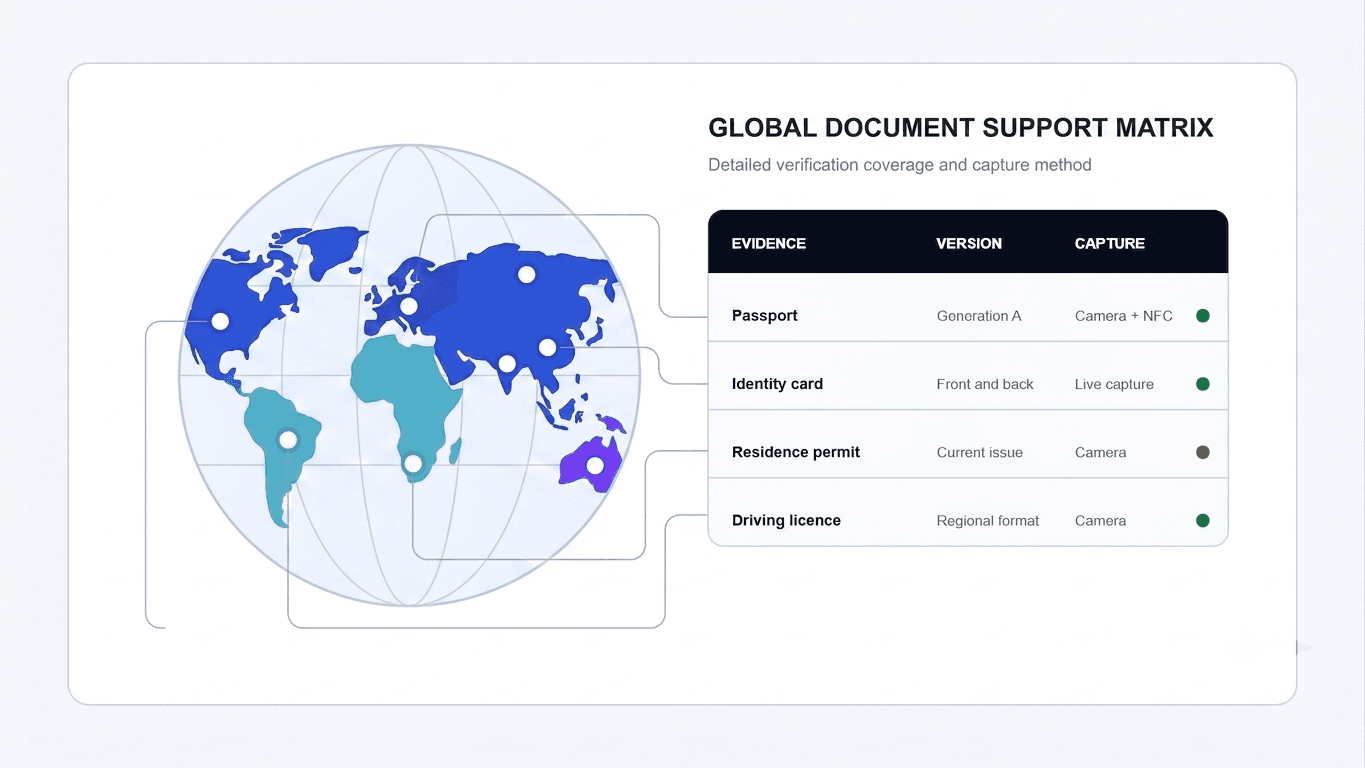
Document support is more complex than a country count. Learn how issuing authority, document version, capture method, market rules, and workflow configuration affect international guest verification.
Understand global document coverageStartup programs
Through AWS Activate and Google for Startups, DocinVault has access to cloud resources, technical guidance, and specialist startup networks as the platform grows.

Cloud infrastructure and startup support program

Technology, product, and startup ecosystem support
FAQ
Request a demo
Walk us through how your team collects guest information, follows up, updates systems, prepares reports, releases access, and retains evidence. We will map what can be automated.