
Business Verification
Verify business customers and authorized representatives.
Collect business information, representatives, ownership data, documents, and screening results in a configurable KYB workflow.
- Part of a guest compliance session
- Hosted, API, and webhooks
- Configured human review
How it works
How KYB verification works
Collect the company record, verify the people, and apply the customer's decision policy.
Collect business data
The applicant or operator enters the configured company details and uploads required evidence.

Validate company information
Available documents and authoritative sources are compared with the submitted company record.

Verify representatives and owners
Identity verification, Face Match, questionnaires, and ownership collection are applied where required.

Screen and decide
Configured AML checks and risk rules return a decision or route the business case to authorized review.

Business verification
Connect company evidence with representative and ownership checks
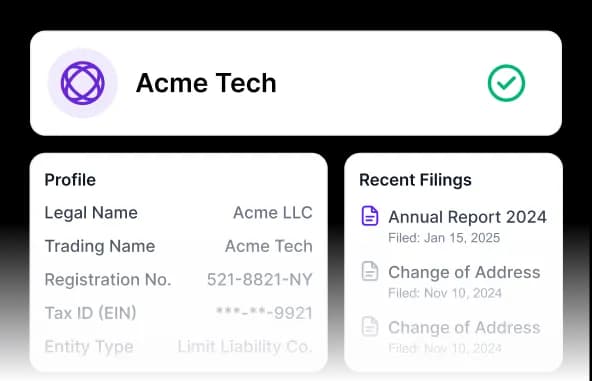
A KYB case can combine self-declared business data, configured documents, registry or authoritative sources, representative verification, ownership questionnaires, and AML screening.
Company information
Collect legal name, registration, address, tax, activity, and other configured business fields.
People and ownership
Identify and verify authorized representatives, directors, and beneficial owners according to the workflow.
Connected risk review
Run configured screening and route incomplete, inconsistent, or higher-risk cases to an approved reviewer.
Capabilities
A connected KYB case
Keep company, representative, ownership, and risk evidence in one controlled workflow.
Discuss your workflow- 01Business data collection
- 02Document capture
- 03Representative verification
- 04Beneficial ownership questionnaires
- 05AML screening
- 06Case review and reporting
Use cases
Where KYB verification fits
- Hospitality suppliers
- Property-management partners
- Corporate booking accounts
- Platform hosts and operators
- Access-control and service vendors
- Business payout recipients
Security and privacy
Controlled by design, documented in public.
Every module uses the same access, output, audit, and retention boundaries as the wider guest compliance workflow.
Minimum necessary output
Operators receive the approved status and fields rather than unrestricted document copies by default.
Booking-linked history
Configured consent, status, access, and review events remain tied to the relevant session.
Controlled retention
Access and retention rules are configured for the customer's workflow and applicable obligations.
FAQ
Frequently asked questions
Key implementation and workflow questions for business verification.
Configure your flow
See Business Verification inside a DocinVault workflow
We will map the module to your customer journey, operating market, and review requirements.